So let’s start a thread about cases that can be used for the P550.
I’ll go first with the rack case I got: The Inter-Tech 1U-K-125L
(I also got the matching Argus FA-250 power supply, but probably any Flex-ATX PSU can be used with it.)
This is a 1U rack case designed for Mini ITX. As you can see the P550 fits snugly inside:
The P550 mainboard, being slightly wider than a normal Mini ITX board, encroaches a bit on the drive bay. This is no problem in itself since there is still plenty of room for a drive, as can be seen in the photo. But there are conductive areas on the bottom side of the board and the base plate for drive mounting does rise a bit from the bottom of the case, so I stuck some folded paper in there just to make sure there is no short. If using the case without SATA drives, the drive bay bottom plate can just be removed (4 screws).
The I/O plate shipped with the P550 can not be used, as it is too high. The plate shipped with the case also can not be used as it does not have all the cut-outs in the required places. So unless you feel like doing some sheet metal cutting, using no I/O plate at all is the best available option.
The front facing USB ports in the case are USB2 only. Since the P550 mainboard only has USB3 headers, this means an adapter is needed for them to be used. I got a cheap one off Amazon, but it may have been slightly too cheap as the cable sleeve on the motherboard side came off almost immediately.
We made a customized case for HiFive Premier P550, please refer to the pic attached. We are building more and it would be available online soon in 2025 Q1.
I’m having an alignment issue with it. The screw hole on the chassis does not line up with the hole on the PCIe card mounting bracket, making it impossible to secure the card. I tried a couple different half-height PCIe cards and also loosening and shifting the P550 board itself, but the misalignment is too significant to correct.
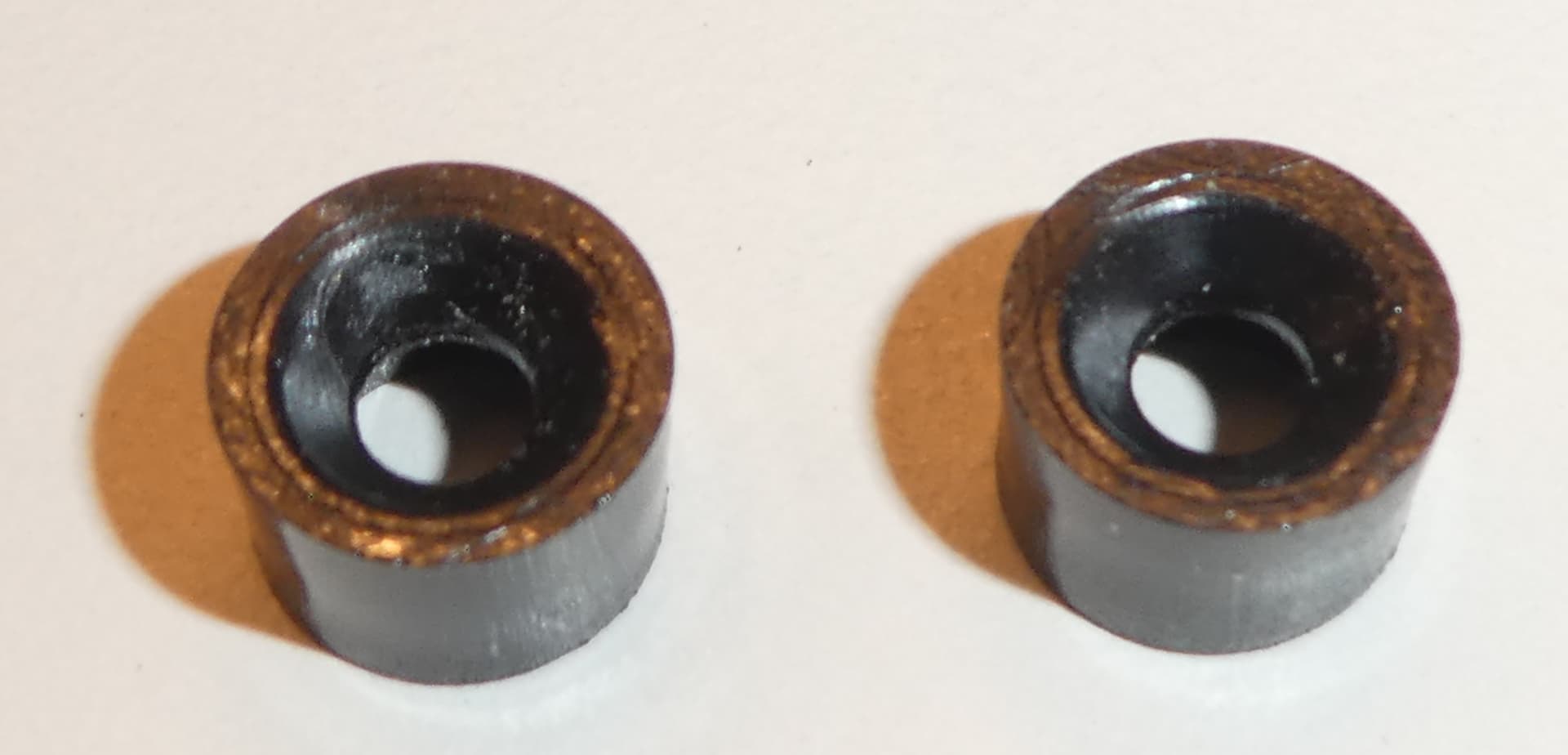
@joel, yes I experienced it too but found the solution in the hardware provided with the case. There are two small plastic spacers (shown below) in the hardware bag.
Then I carefully mounted the board on these plastic spacers. The screws that hold down the board are long enough to reach the metal spacers underneath.
Below is a (slightly fuzzy) picture of an RX550 GFx card mounted in Premier P550’s PCIe slot and its mounting hole screwed in the correct position. I checked the board’s HDMI, USB (A and C) and ethernet connectors as well as the uSD card slot and they are all in correct position without any issues.